Chapter 5.3 – Prompt Engineering for Engineers
A practical, engineer-focused guide to prompt engineering: how to talk to LLMs, get reliable results, and avoid common pitfalls.
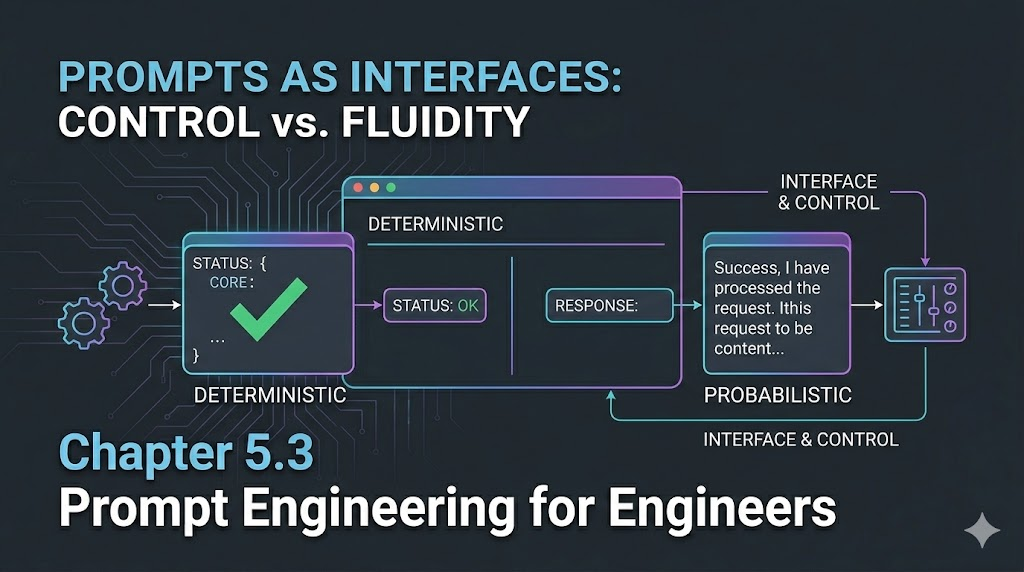
Prompt Engineering for Engineers: The New Interface
Introduction
When I first tried using LLMs, I expected them to work like any other tool—give clear instructions, get predictable results. But I quickly learned that with LLMs, the way you ask matters as much as what you ask. Prompt engineering isn’t just about clever wording—it’s about designing the right interface between your intent and the model’s output. For engineers, this means thinking of prompts as a new kind of API: one that’s powerful, flexible, and sometimes a little unpredictable.
Engineer’s Insight: Prompt engineering is the bridge between human intent and machine intelligence. The better you design this bridge, the more reliable your results.
1. Prompts as Interfaces
Think of prompts as the contract between you and the LLM. The clearer your contract, the more reliable your results.
- Good prompt: Like a well-documented API call—specific, unambiguous, and with clear expectations.
- Bad prompt: Like a vague ticket—results may vary, and debugging is painful.
Example:
- Vague: “Summarize this log.”
- Better: “Summarize the following deployment log in 3 bullet points, focusing on errors and their timestamps.”
Automation Analogy: Prompts are like configuration files for LLMs—small changes can have big effects.
2. Deterministic vs Probabilistic Outputs
LLMs aren’t always deterministic. The same prompt can yield different results, depending on:
- Temperature: Higher = more creative/random, lower = more predictable
- Top-p (nucleus sampling): Controls diversity of output
- Model version: Even small updates can change behavior
When you want consistency:
- Set temperature low (0–0.2)
- Use explicit instructions (“Respond in JSON”)
When you want creativity:
- Raise temperature (0.7+)
- Allow open-ended prompts
Engineer’s Insight: LLMs are like non-idempotent APIs—sometimes you get a different answer for the same input. Plan for it.
3. Best Practices for Working with LLMs
- Be explicit: State format, length, and style you want.
- Iterate: Test, tweak, and refine your prompts.
- Chain prompts: Break complex tasks into smaller, sequential prompts.
- Validate outputs: Always check for hallucinations or errors.
- Version your prompts: Track what works and why.
Common Pitfalls:
- Relying on defaults (outputs may drift)
- Overloading a single prompt (split into steps)
- Ignoring edge cases (LLMs can “make up” facts)
Warning: LLMs are powerful, but not magic. Garbage in, garbage out still applies.
What I Wish I Knew Earlier
Takeaway:
- Prompts are the new interface—treat them like code.
- Determinism is a setting, not a guarantee.
- The best results come from clear, iterative engineering.
Real-World Prompt Examples
Before:
Summarize this log.
After:
Summarize the following deployment log in 3 bullet points, focusing on errors and their timestamps. Use plain English and include only the most critical issues.
Debugging a Bad Output:
- If the model returns irrelevant details, add: “Ignore informational messages and focus only on error and warning events.”
Prompt Templates for Engineers
- Summarization:
- “Summarize the following [type] in 3 bullet points, focusing on [aspect].”
- Extraction:
- “Extract all error codes and their descriptions from the following log.”
- Code Review:
- “Review this code diff and highlight any security risks or anti-patterns.”
Prompt Engineering Workflow
- Draft: Write a clear, specific prompt for your task.
- Test: Run it with real data and review the output.
- Refine: Adjust wording, add constraints, or split into steps.
- Automate: Integrate into scripts or tools if results are reliable.
- Monitor: Periodically re-test as models or requirements change.
Advanced Techniques (Brief Overview)
- Few-shot prompting: Give examples in your prompt to guide the model.
- Chain-of-thought: Ask the model to explain its reasoning step by step.
- System prompts: Use system-level instructions to set context or behavior (if supported).
Next Up
In the next chapter, we’ll dive into real-world prompt engineering workflows and automation patterns for LLMs in production.