Chapter 5.6 – Advanced Prompt Chaining and Orchestration
A practical guide to chaining prompts, orchestrating multi-step LLM workflows, and managing state across requests.
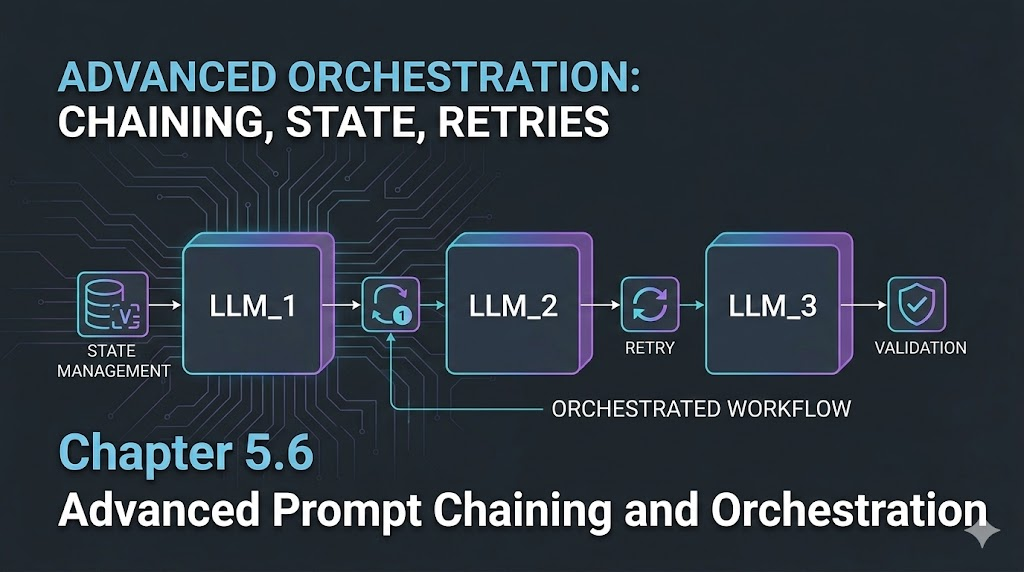
Advanced Prompt Chaining and Orchestration
Introduction
When I first tried to automate multi-step tasks with LLMs, I assumed one big prompt would do the trick. But reality hit: context limits, output drift, and lost details. The real power comes from chaining prompts—breaking complex workflows into reliable, manageable steps.
Engineer’s Insight: Chaining prompts is like building a pipeline—each step does one job, passes clean output, and keeps state under control.
1. What Is Prompt Chaining?
- Prompt chaining means splitting a big task into smaller, sequential prompts.
- This keeps context tight, avoids token overflow, and makes debugging easier.
Example Workflow:
- Extract requirements from a user request.
- Estimate costs and resources.
- Draft a summary for business review.
2. Orchestration: Managing Multi-Step LLM Workflows
- Orchestration is the logic that connects, sequences, and manages prompt chains.
- Orchestration lets you retry failed steps, log outputs, and monitor the whole pipeline. Engineer’s Analogy:
- Orchestration is like CI/CD for LLMs—each job runs in order, with checks and handoffs.
3. Handling State and Memory Across Requests
- LLMs don’t remember previous runs unless you pass context explicitly.
- Store key outputs (IDs, summaries, decisions) and feed them into the next prompt.
- For long workflows, use structured data (JSON, YAML) to keep state clean.
Example:
- Step 1 output:
{ "requirements": [...] } Step 2 prompt: “Given these requirements, generate an architecture summary: …”
- Fix: Use strict schemas, validate after each step.
- Pitfall: Lost context or missing data.
- Fix: Pass all needed info explicitly, log outputs.
Visualizing Prompt Chaining (Mermaid)
flowchart TD
    A[User Request] --> B[Extract Requirements]
    B --> C[Generate Architecture]
    C --> D[Estimate Costs]
    D --> E[Draft Summary]
What I Wish I Knew Earlier
- Debug each step, validate outputs, and monitor the whole pipeline.
Real-World Automation Patterns with LLMs
Now that we’ve covered how to design and orchestrate prompt chains, let’s see how these ideas show up in real engineering work. We’ll walk through a few automation patterns, case studies, and deployment practices for LLM-powered workflows in production.
1. Pattern: Automated Incident Response
Scenario:
- Detect an outage, classify severity, generate a remediation plan, and notify stakeholders.
Prompt Chain:
- Ingest monitoring alert → Classify incident type/severity.
- Generate remediation steps (based on runbooks).
- Draft notification for SRE/DevOps team.
- Log actions and update status dashboard.
Mermaid Workflow:
flowchart TD
    A[Alert] --> B[Classify Incident]
    B --> C[Generate Remediation]
    C --> D[Notify Team]
    D --> E[Log & Update Dashboard]
2. Pattern: IaC Change Review Automation
Scenario:
- Review Terraform/CloudFormation PRs for security, cost, and compliance.
Prompt Chain:
- Parse IaC diff → Extract resources and changes.
- Validate against security/cost/compliance policies.
- Summarize findings and recommendations.
- Post review comments to PR.
Pitfalls & Solutions:
- Pitfall: Missed policy violations.
- Solution: Use strict schemas and cross-check outputs.
- Pitfall: Overly verbose or unclear reviews.
- Solution: Enforce concise, actionable summaries.
3. Pattern: Automated RFP Response Generation
Scenario:
- Respond to complex cloud RFPs with tailored architecture, cost, and compliance answers.
Prompt Chain:
- Parse RFP requirements.
- Generate architecture proposal.
- Estimate costs and compliance.
- Draft executive summary.
Best Practices:
- Use JSON schemas for each step.
- Validate outputs and handle errors.
- Log all decisions for audit.
4. Lessons Learned from Production Deployments
- Validation is critical: Always check outputs against schemas.
- Error handling: Build retries and fallback logic into orchestration.
- Monitoring: Track workflow health, failures, and drift.
- Human-in-the-loop: For high-risk steps, add expert review checkpoints.
5. Final Thoughts: Architecting Reliable LLM Automation
Summary:
- Break complex tasks into chains of prompts.
- Orchestrate with robust error handling and state management.
- Validate, monitor, and review outputs.
- Apply proven patterns for real-world reliability.
Journey So Far – Series Wrap-Up
With this chapter, you’ve walked with me through the current arc of my “From Automation to AI” journey. From hands-on automation and SRE practices to LLM fundamentals, prompt design, orchestration, and real-world patterns, you now have a practical toolkit for designing, validating, and running production-grade LLM-powered automation workflows in real engineering environments.
What’s Next?
- Apply these patterns to one real-world workflow in your team (even a small one) and iterate based on what you learn.
- Share your patterns, failures, and lessons learned with your community or peers.
- Start exploring agentic AI and multi-step orchestration (agents that plan, act, and coordinate on your behalf)—this will be the focus of a future series on agentic AI orchestration in real-world scenarios.