Managing AWS EC2 Lifecycle with Terraform and Ansible
A comprehensive guide on managing AWS EC2 instances using Terraform and Ansible.
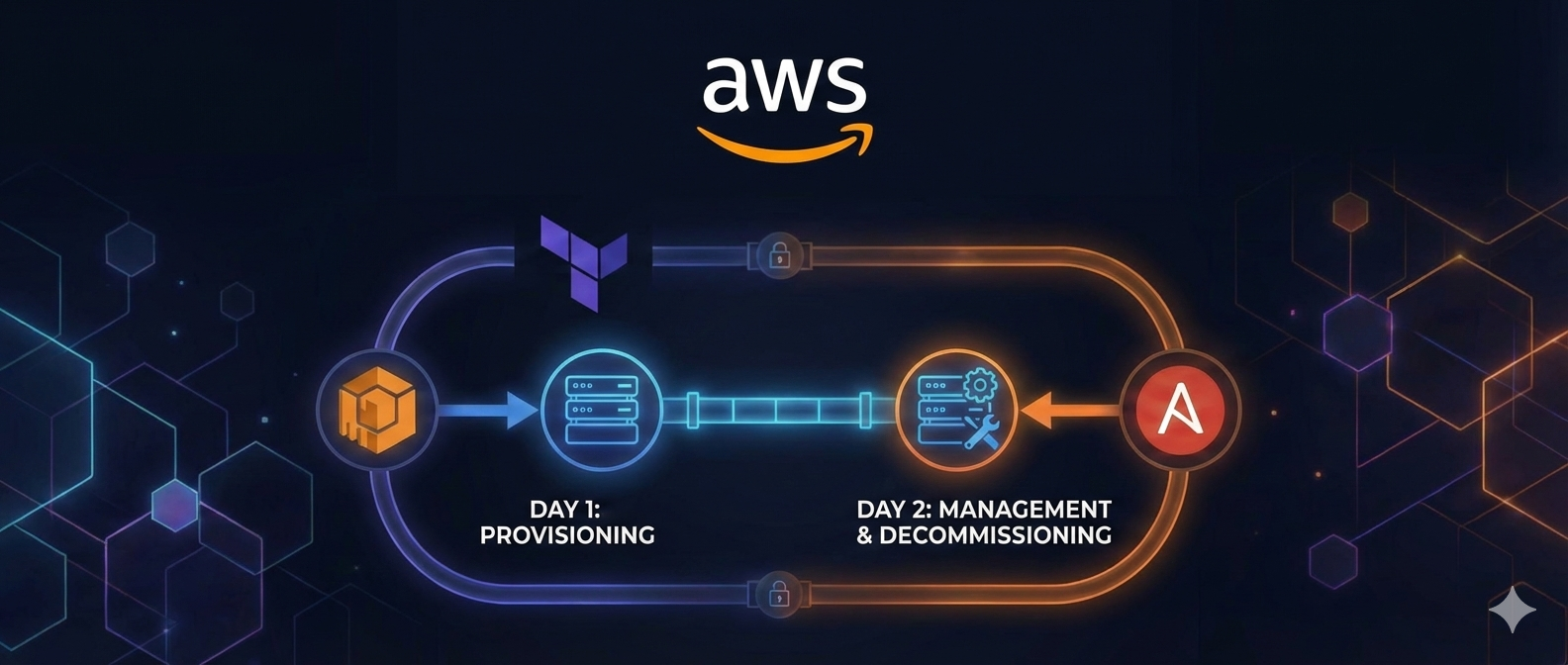
Efficiently managing the lifecycle of Amazon EC2 instances is crucial for ensuring seamless provisioning, configuration, and maintenance of cloud resources. This blog explores how Terraform and Ansible can work together to automate Day 1 (provisioning) and Day 2 (modifications, maintenance, and decommissioning) operations for EC2 instances. By leveraging Terraform’s infrastructure-as-code capabilities alongside Ansible’s powerful configuration management tools, users can streamline workflows and reduce manual effort. Additionally, the native integration of Ansible resources through the Terraform provider ensures seamless management of pre- and post-configuration tasks without relying on separate pipelines or API calls.
Day 1: Provisioning EC2 Instances
Provisioning an EC2 instance involves setting up the base infrastructure and configuring the required components to make the instance operational. With Terraform, this process is automated and customizable, enabling users to define resources, tags, and configurations through a root template and child modules. Ansible can complement this process by handling post-provisioning tasks, such as software installation and security hardening. Terraform’s native support for Ansible resources simplifies this integration, enabling unified workflows without external dependencies.
Key Features for Day 1 Operations
- Multi-OS Support: Terraform supports provisioning EC2 instances with various operating systems, including RHEL, SUSE, and Windows.
- Volume Management: Automatically creates and attaches secondary EBS volumes with configurable types and sizes.
- Networking Configuration: Assigns security groups and private subnets, ensuring secure communication.
- Tagging and Naming: Applies consistent tags for resource identification and management.
- Load Balancer Integration: Optionally attaches instances to an Application or Network Load Balancer.
- IAM Role Assignment: Assigns roles for secure access to AWS services.
- DNS Management: Creates Route 53 records for instance hostnames and aliases.
- Ansible Resource Management: Seamlessly invokes Ansible playbooks or roles through the Terraform provider, eliminating the need for separate pipeline triggers.
Root and Child Module Structure
Terraform configurations for EC2 instance management follow a modular structure:
- Root Module: Contains high-level configurations and passes required variables to child modules.
- Child Module: Implements reusable logic for resource creation and management.
Key Benefits of Using Root and Child Module Structure:
- Reusability: Child modules encapsulate reusable logic, reducing duplication.
- Scalability: Easier to manage and scale configurations across multiple environments.
- Modularity: Clear separation of concerns improves readability and maintenance.
- Consistency: Ensures uniform application of configurations across resources.
Example configuration snippet in the root module:
1
2
3
4
5
6
7
8
9
10
11
12
13
14
15
16
17
18
19
20
21
22
23
24
25
26
27
28
29
30
31
32
33
module "aws_instance_example" {
  source = "./modules/ec2"

  # Instance Details
  instance_type           = "t2.micro"
  ami_owner               = "123456789012"
  hostname                = "example-instance"
  iam_role                = "AmazonEC2RoleforSSM"
  operating_system        = "RHEL 9"
  user_data_runtime_creds = var.akv_local_user_aws_linux_vm

  # Network Configuration
  security_groups = ["sg_app"]
  subnet_name     = "PrivateSubnet"
  vpc_name        = "VPC"

  # Volume Configuration
  kms_key_id         = "arn:aws:kms:eu-west-1:123456789012:key/example-key"
  root_vol_size      = 10
  root_vol_type      = "gp2"
  sec_vol_mount_name = ["/app1", "/app2", "/app3"]
  sec_vol_name       = ["xvde", "xvdf", "xvdg"]
  sec_vol_size       = [3, 4, 5]
  sec_vol_type       = ["gp3", "io1", "gp3"]
  sec_iops_value     = [null, 100, null]

  # Tags
  tags     = local.ec2_tags
  tags_ebs = local.ebs_tags

  # Load Balancer Configuration
  enable_loadbalancer_attachment = false
}
Day 2: Managing and Modifying Configurations
Day 2 operations focus on making modifications to the infrastructure after the initial provisioning. This may include resizing instances, modifying disk configurations, updating tags, and decommissioning resources. Combining Terraform and Ansible ensures these changes are handled efficiently and consistently. Terraform’s native support for Ansible resources ensures a unified approach to infrastructure and configuration management.
Key Features for Day 2 Operations
- Instance Resizing: Adjust instance types to meet changing workload requirements.
- Disk Configuration Updates: Modify EBS volume sizes, types, and IOPS values.
- Dynamic Tagging: Add or update tags to align with organizational policies.
- Decommissioning: Cleanly remove instances and associated resources while preserving final snapshots.
- Automation with Ansible Provider:
- Deploy software updates.
- Perform security hardening.
- Execute application-specific workflows directly from Terraform configurations.
Example: Resizing an Instance
To resize an instance, modify the instance_type parameter in the root module:
1
2
3
4
5
6
7
8
module "aws_instance_example" {
  source = "./modules/ec2"

  instance_type = "t3.medium" # Updated instance type
  ami_owner     = "123456789012"

  # Rest of the configuration remains unchanged
}
By adjusting the root module, the changes cascade through the child module, ensuring consistent updates across related resources.
Ansible can further enhance the process by ensuring configurations remain consistent after the resize operation.
Decommissioning Resources
Decommissioning involves safely removing instances and associated resources. Terraform’s capability to create final snapshots and Ansible’s automation of cleanup tasks ensure a seamless decommissioning process. The use of the Ansible provider within Terraform allows direct invocation of cleanup playbooks during resource decommissioning.
Steps for decommissioning:
- Update Terraform Configuration: Remove the instance from the configuration or mark it for decommissioning.
- Run Terraform Apply: Execute the plan to remove the instance and associated resources.
- Trigger Ansible Workflows: Use the Ansible provider to perform final cleanup tasks, such as removing DNS records and archiving logs.
Example Terraform configuration for decommissioning a volume or app mount point /app2- xvdf:
1
2
3
4
5
6
7
8
9
10
11
12
13
module "aws_instance_example" {
  source = "./modules/ec2"

  sec_vol_mount_name = ["/app1", "/app2", "/app3"]
  sec_vol_name       = ["xvde", "xvdf", "xvdg"]
  sec_vol_size       = [3, 4, 5]
  sec_vol_type       = ["gp3", "io1", "gp3"]
  sec_iops_value     = [null, 100, null]
  sec_vol_name_decom = [xvdf"]

  # Rest of the configuration remains unchanged
}
Flow Diagram: From terraform init to Final Apply on AWS and Ansible
Below is a simplified flow diagram representing the lifecycle from initialization to applying changes using Terraform and Ansible:
- Initialize: Run
terraform initto initialize the working directory. - Plan: Run
terraform planto create an execution plan. - Apply: Execute
terraform applyto provision or modify resources. - Invoke Ansible (if configured): Trigger Ansible playbooks for post-provisioning or Day 2 tasks.
- Finalize: Validate changes in AWS and ensure configurations are consistent with Ansible.
1
2
3
4
5
6
7
8
9
10
11
12
13
14
15
16
17
18
19
20
21
22
23
+---------------------+
|     terraform init  |
+---------------------+
          |
          v
+---------------------+
|    terraform plan   |
+---------------------+
          |
          v
+---------------------+
|   terraform apply   |
+---------------------+
          |
          v
+---------------------+
|  Invoke Ansible     |
+---------------------+
          |
          v
+---------------------+
|  Final Validation   |
+---------------------+
The detailed code and usage instructions are available at the github URL Terraform AWS EC2 lifecycle Mgmt. Module.
Conclusion
Combining Terraform and Ansible creates a powerful framework for managing the entire lifecycle of AWS EC2 instances. From Day 1 provisioning to Day 2 operations and decommissioning, this approach reduces complexity, enhances consistency, and empowers teams to focus on delivering value. By leveraging reusable Terraform modules and native integration of Ansible resources, organizations can achieve operational efficiency and scalability in managing their cloud infrastructure.